Combo bundle
Group several products into a bundle that customers can add to their cart in one click. Use it to sell a set, such as a starter kit or a gift box, at a bundle price.
Add the Combo bundle section
-
From your Shopify admin, go to Online Store > Themes, then click Customize.
-
Open the page where you want the bundle, for example the home page.
-
Click Add section and choose Combo bundle.
Set up the bundle
Products
Select the products in the bundle, up to 12. On desktop, 3 products show at a time with arrows for the rest. On mobile, they stack.
Header
- Sub heading, Heading and Description: the text above the products.
Bundle
-
Bundle title: the bundle's name, for example "The Harmony Bundle".
-
Bundle price: the price you show for the bundle, for example "$120".
-
Bundle radius: the corner style of the bundle price bar.
Image
-
Image: a photo shown beside the products.
-
Link: optional. Makes the image clickable.
What customers see
- The Add to cart button adds every product in the bundle to the cart at once, using the options they chose.
Bundle price and discounts
Important: Bundle price is display text only. The theme doesn't change prices. Without a discount, customers pay the full price of each product at checkout, which won't match the bundle price they saw.
To charge the bundle price, create an automatic discount:
-
From your Shopify admin, go to Discounts > Create discount > Amount off products.
-
Under Method, choose Automatic discount, so customers don't need a code.
-
Under Discount value, enter the amount or percentage that brings the total down to your bundle price. Example: the 3 products cost $150 in total and the bundle price is $120, so set a fixed amount of $30**, or 20%.
-
Under Applies to, choose Specific products and select the same products as in the section.
-
Under Minimum purchase requirements, choose Minimum quantity of items and enter the number of products in the bundle, for example 3.
-
Click Save.
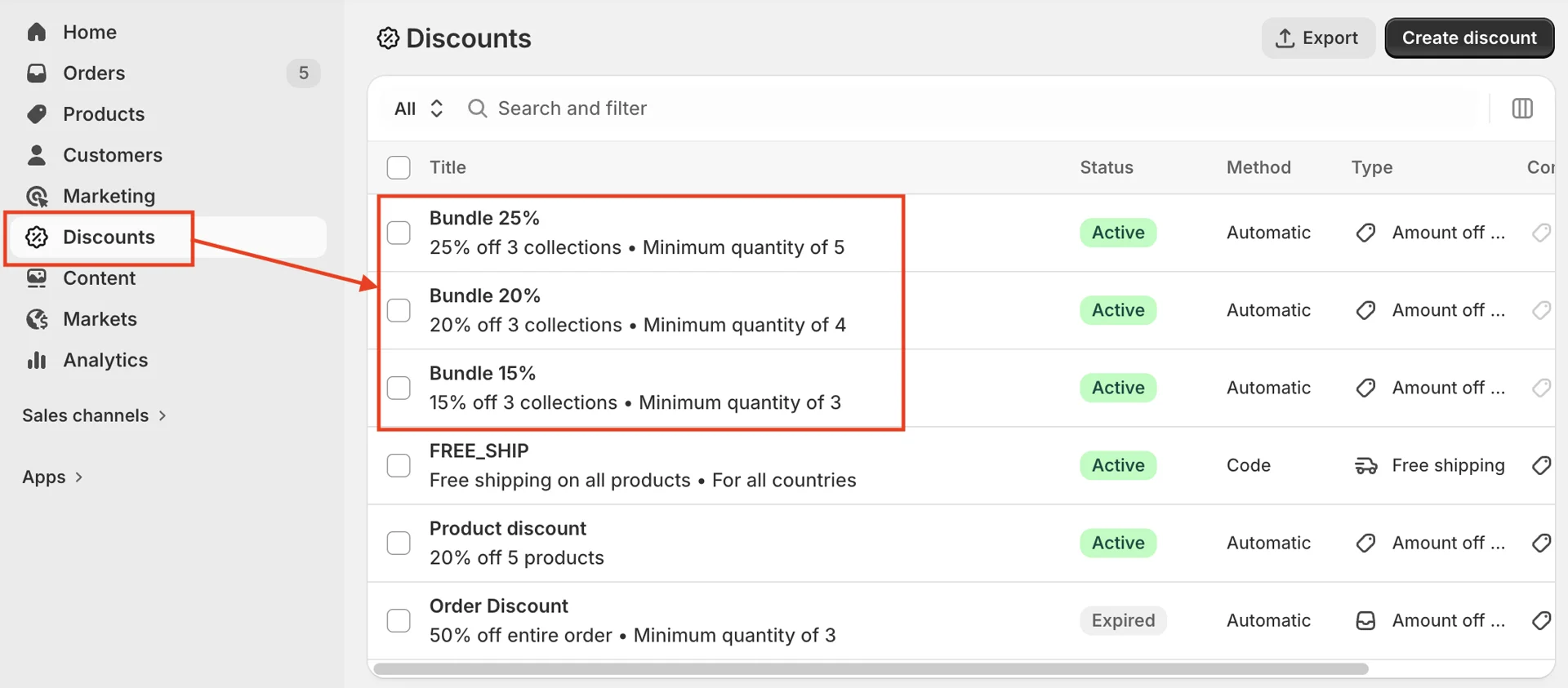
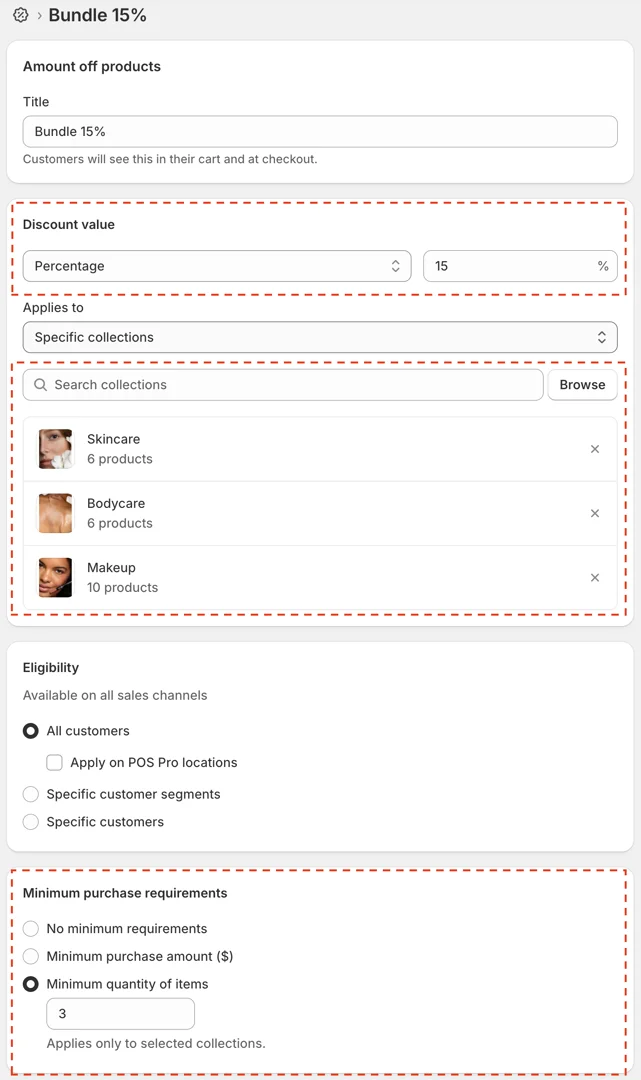
Note: The discount also applies when a customer adds the same products to their cart one by one. Whenever you change the products or their prices, update Bundle price and the discount so they still match.