Product videos
Show a grid of videos on the product page. Each thumbnail opens the video in a popup player. Videos are set per product, using a product metafield.
Note: Videos must be uploaded to Shopify (files). YouTube and Vimeo links aren't supported.
Step 1: Add the metafield definition
You only need to do this once for your store.
1. From your Shopify admin, go to Settings > Metafields and metaobjects > Products.
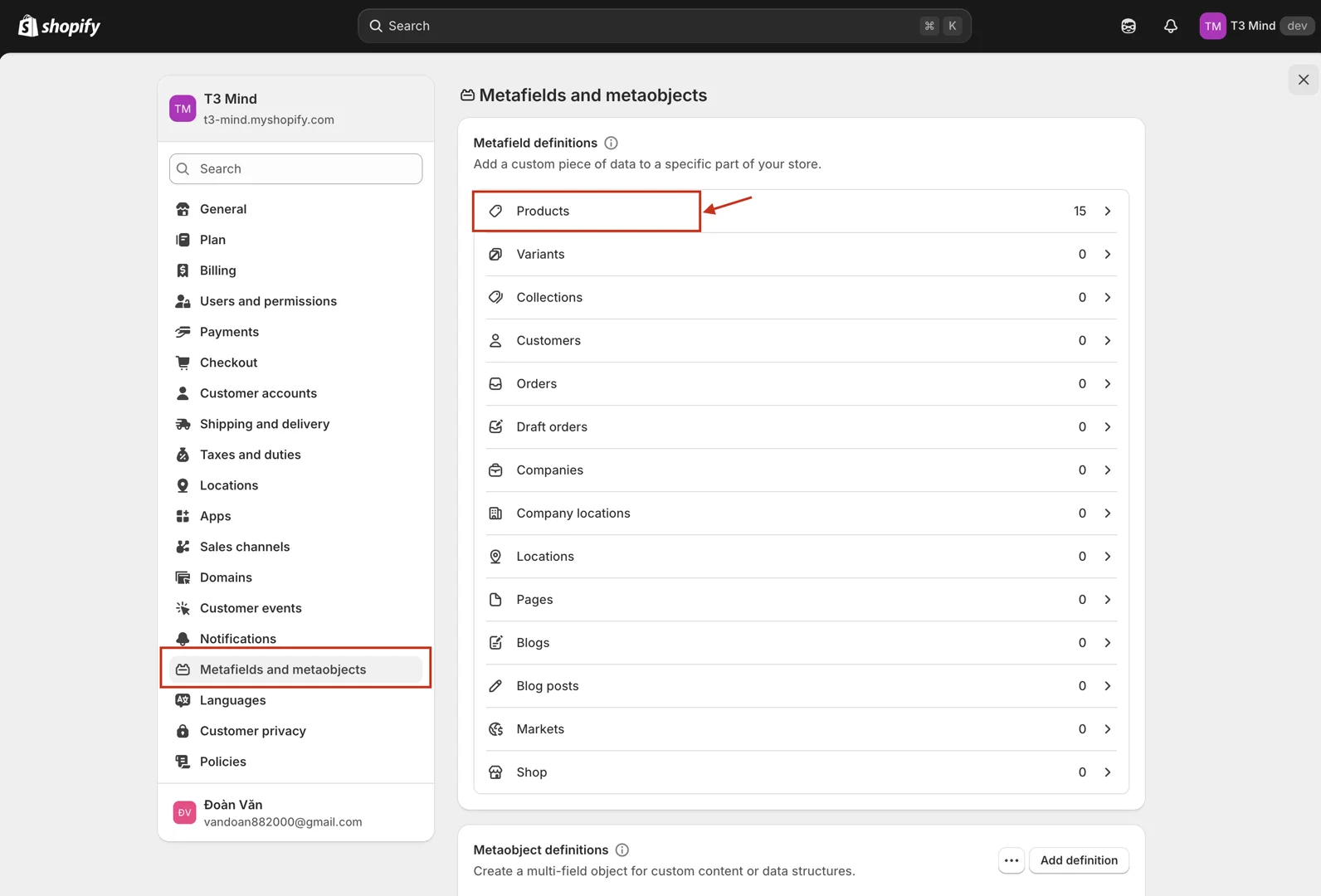
2. Click Add definition.
3. In the Add product metafield definition box, enter:
-
Name:
Product videos -
Namespace and key:
theme.product_videos -
Type: select Video (File), then choose List of videos.
4. Click Save.
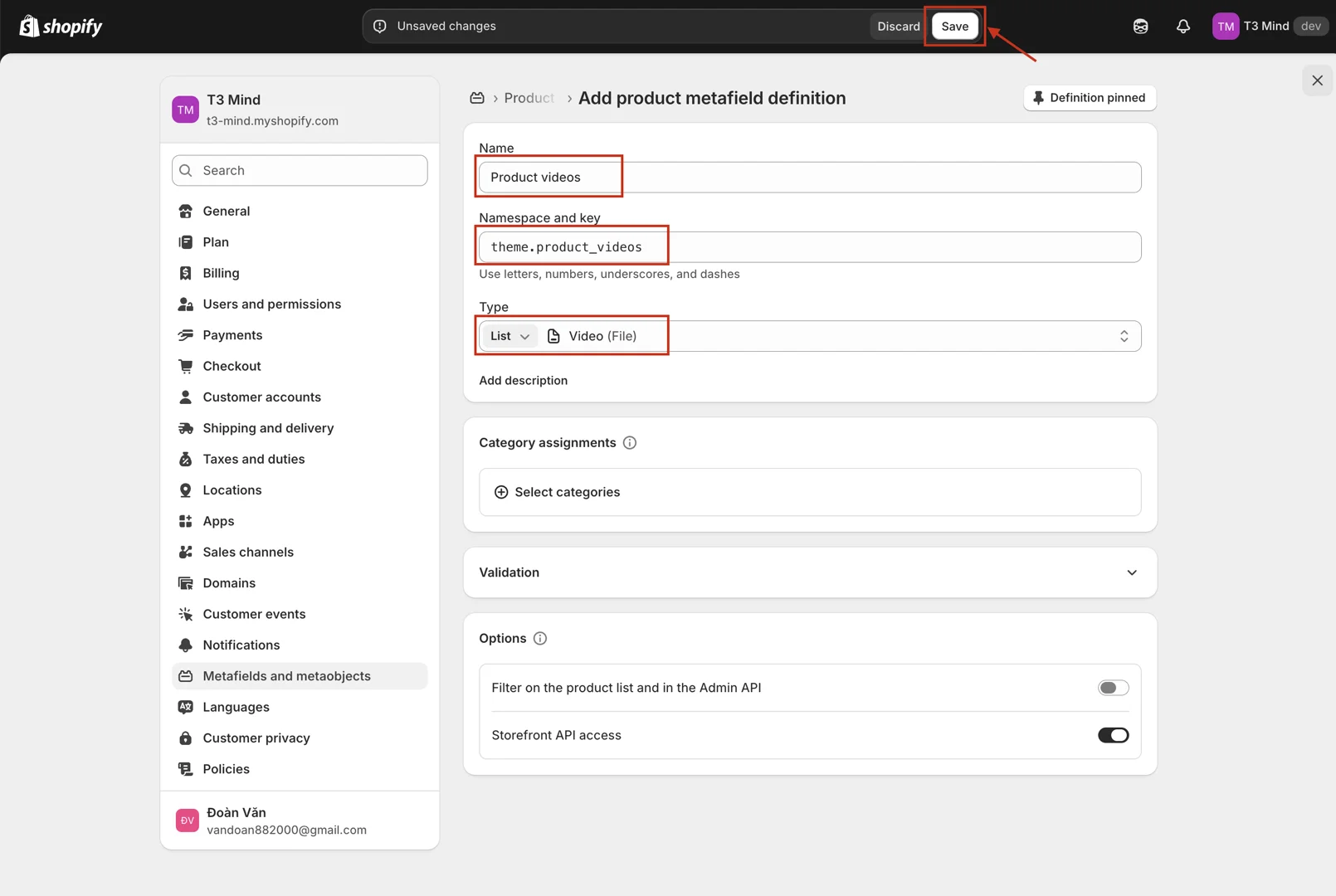
Important: The namespace and key must be exactly
theme.product_videos. Shopify fills this field in automatically from the name (custom.product_videos). That also works, but any other key won't be read by the theme.
Step 2: Add videos to a product
1. From your Shopify admin, go to Products and open the product where you want to add videos.
2. Scroll down to Metafields. You should see Product videos. If you can't find it, click View all.
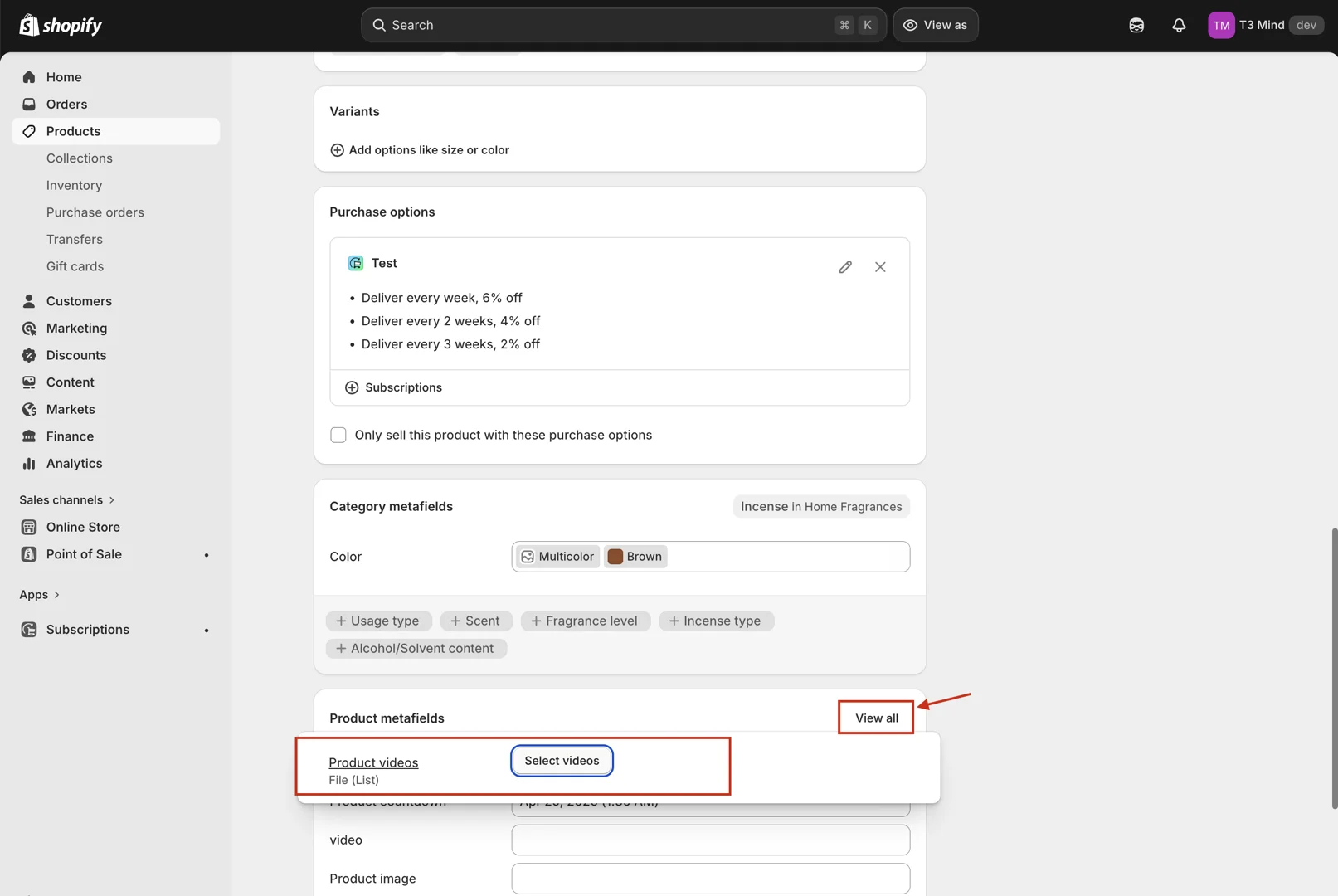
3. Click the Product videos field and select the videos for this product. You can upload new videos here.
4. Click Save.
Step 3: Add the Videos block
1. From your Shopify admin, go to Online Store > Themes > Customize.
2. Open a product page template.
3. In the Product information section, click Add block and choose Videos. The same block is also available in the Featured product section.
4. Adjust the block settings:
-
Heading: the text shown above the videos.
-
Aspect ratio: the thumbnail shape. Choose Custom to set your own Width ratio and Height ratio.
-
Columns / Columns mobile: how many thumbnails per row.
-
Play button: Position, Icon size, Width and Height of the play button on each thumbnail.
5. Click Save.
Tip: The block hides itself on products without videos, so you can use one product template for all your products.