Change homepage preset
This guide describes how to replace your homepage with one of the alternate homepage layouts that ship with Mind.
Besides the default homepage (index.json), Mind includes four alternate homepage templates. Each one opens with a different hero section and uses a different mix of content sections.
| Template file | Opens with | Highlights |
|---|---|---|
page.home-2.json | Banner with testimonial | Image parallax with text, Products scroll vertical, Multi column, Stacked cards slider, Featured collection, Shop the look, Scrolling text, Image with text service |
page.home-3.json | Hero banner with video | Image parallax with text, Product scroll horizontal, Multi column, Text with icons, Image with text insight, Collection marquee, Image slider, Shop the look |
page.home-4.json | Panorama slider | Image with text about, Products scroll vertical, Image with text insight, Image slider, Image with marquee, Collection with banner, Collection showcase tabs, Testimonial with image |
page.home-5.json | Panorama slider | Icon features, Collage masonry, Image with text insight, Stacked cards slider, Video, Collection with banner, Collection showcase tabs, Shop the look |
All four templates also include Banner slideshow and Call to action sections.
Replace the homepage
- On your store's Shopify admin page, from the left-side menu, select Sales channels > Online store > Themes.
- In the Current theme section, select the ... button, then select Edit code.
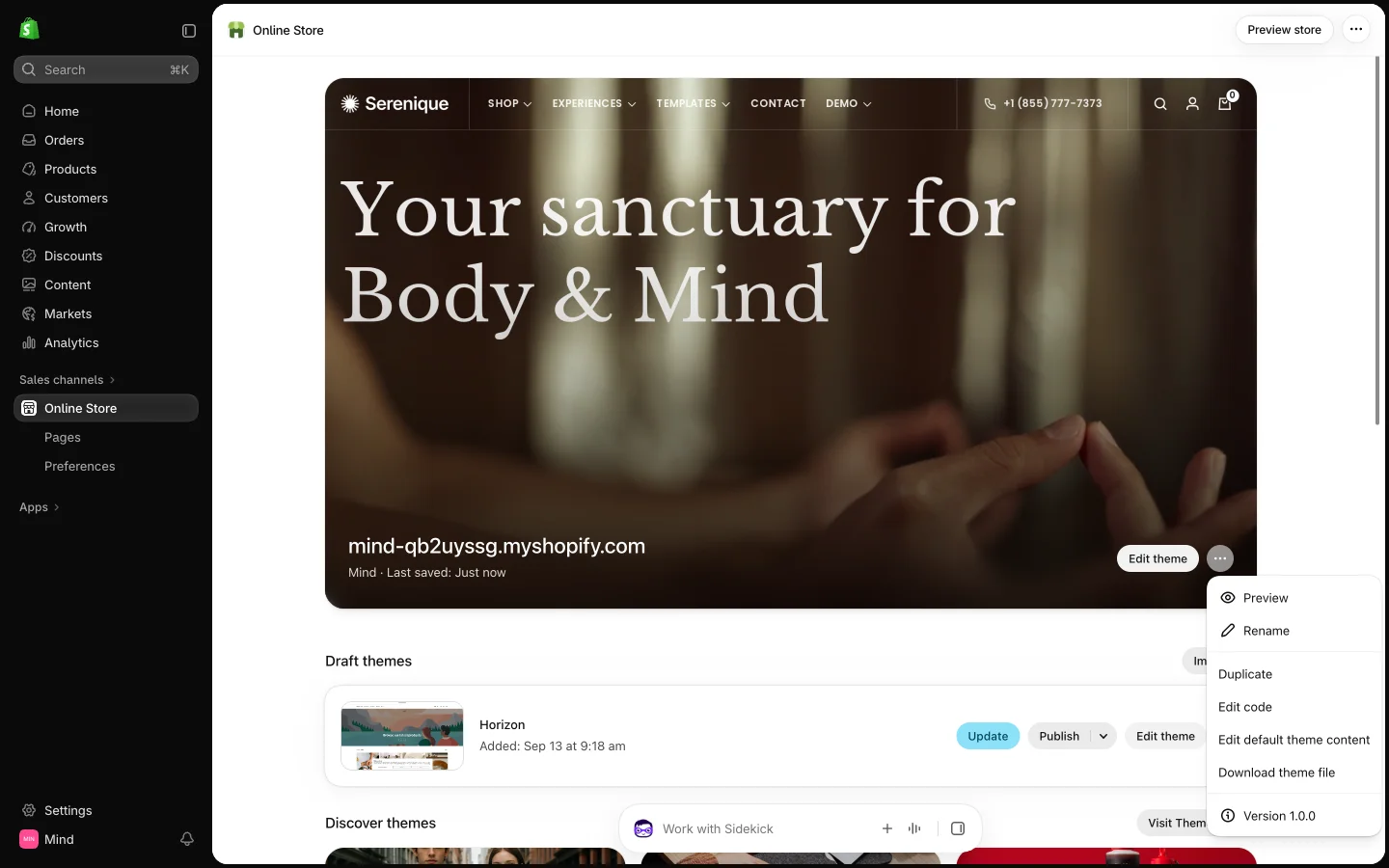
- In the code editor sidebar, open the templates folder and select the JSON file of the homepage you want (for example
page.home-2.json).
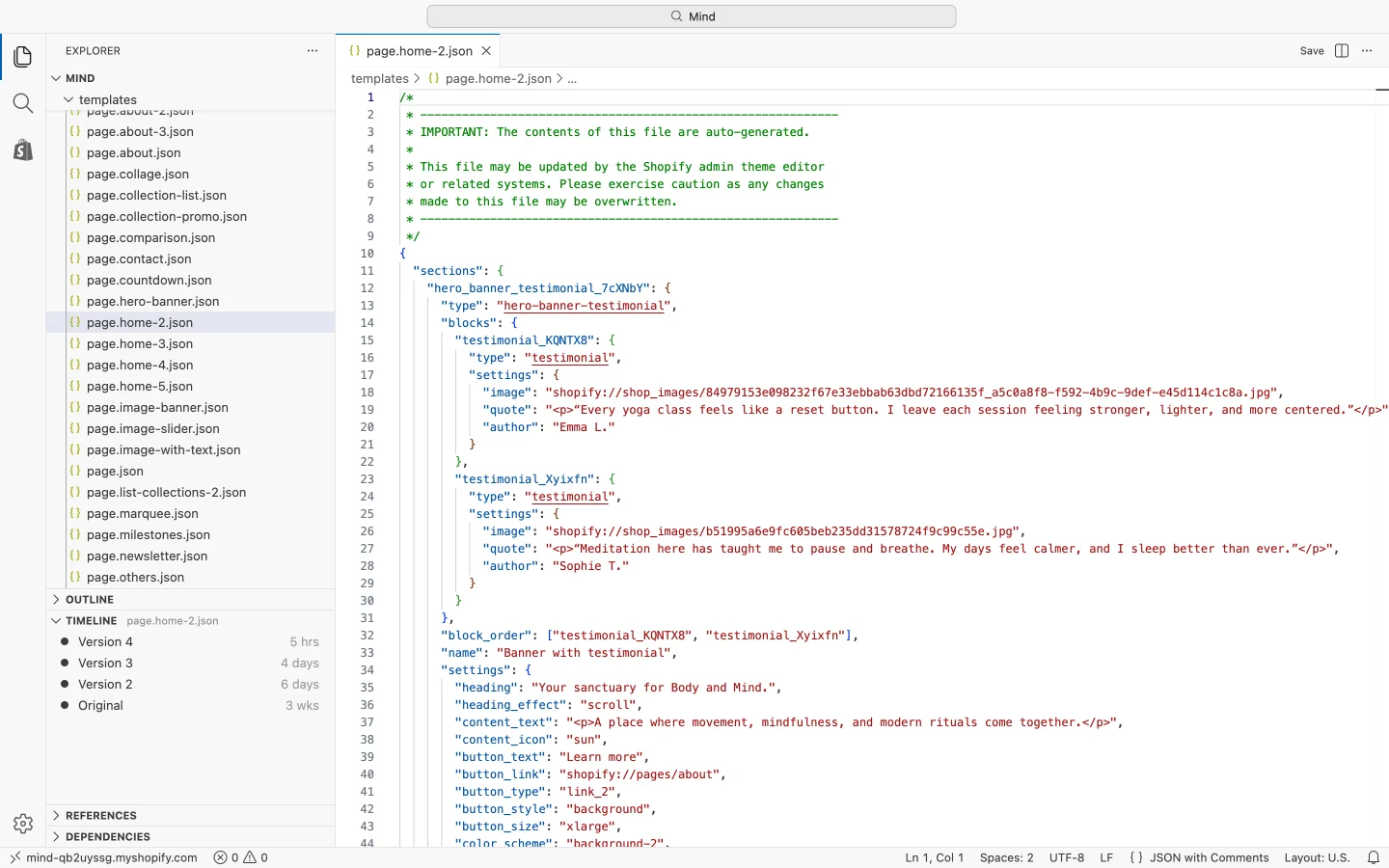
- Select all the content of that file and copy it.
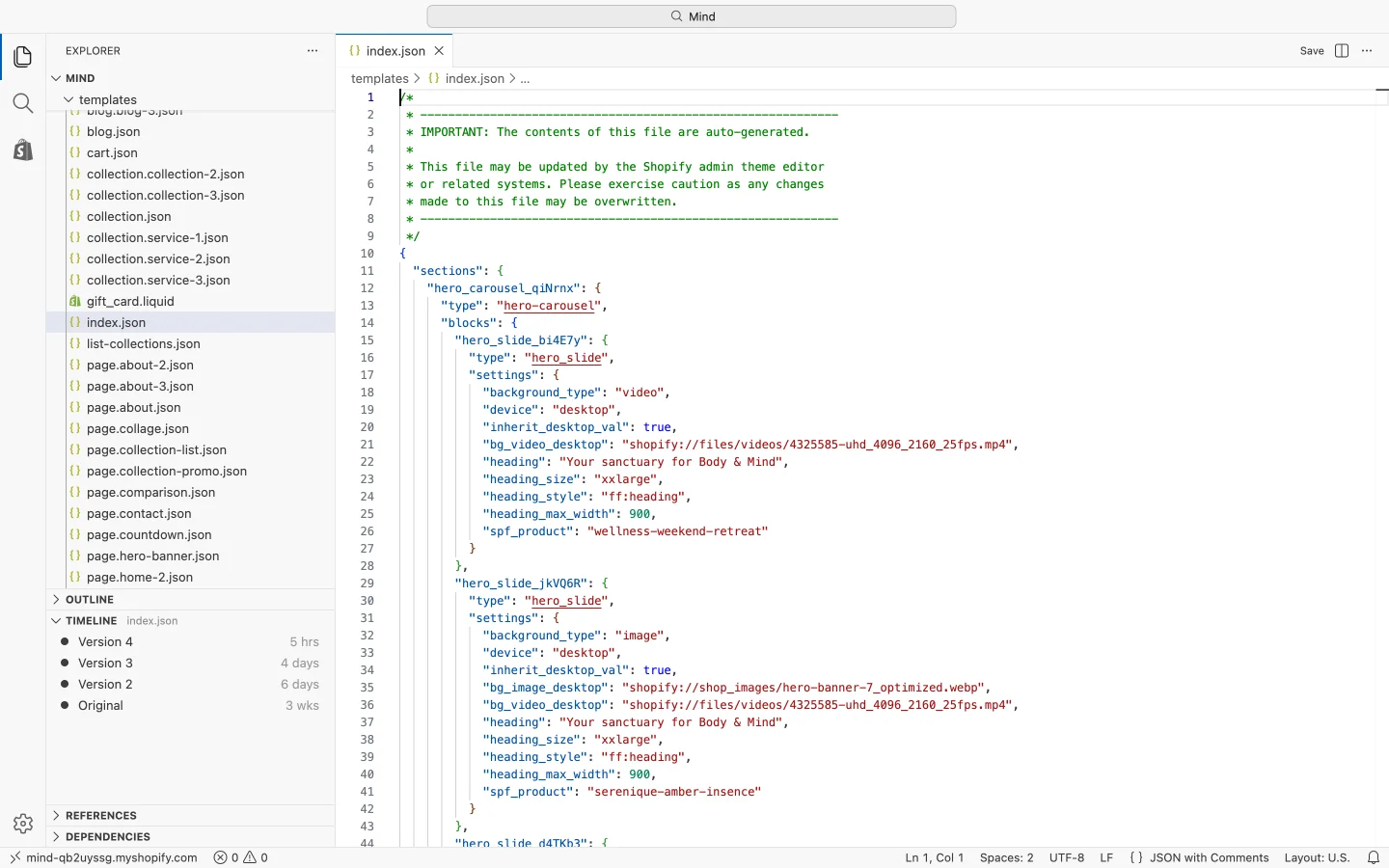
- Open templates/index.json, select all of its content and paste to replace it, then save the file (Cmd + S on Mac, Ctrl + S on Windows, or the Save button in the top-right corner).
- Go back to Themes and select Customize. The Theme editor now opens with the new homepage, ready to edit.
Replacing index.json discards the sections and settings of your current homepage. Duplicate the theme first, or copy the old index.json content somewhere safe, so you can restore it later.
Use an alternate layout as a landing page
The page.home-* files are page templates, so you can also keep your current homepage and use an alternate layout for a separate landing page.
- From the left-side menu, select Sales channels > Online store > Pages and open (or add) a page.
- In the Theme template box, select home-2, home-3, home-4 or home-5.
- Select Save. The page now shows that layout, and you edit its sections in the Theme editor under Pages.
You do not have to use an alternate layout as a whole. Open the Theme editor, add the hero or content sections you like to your existing homepage, and reorder them by dragging. See the Hero sections page for every hero variant.